

Table of Contents
- Search and Discovery
- Following Users
- Creating Your First Post
- Messages
- Exploring Markets
- Tips for Success
Search and Discovery
Use the search feature to find users, posts, hashtags, and cashtags across Fidenly. Simply type in the search bar to discover content and connect with other investors.
When searching for assets, the default market is United States markets. If you have selected preferred market locations in your settings profile, assets from those markets will also be included in your search results.

Following Users
Connect with other investors by following their profiles. Use the Follow/Unfollow button to manage your connections, and access the ellipsis button (...) for additional user interaction options.
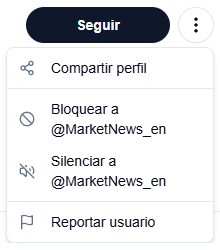
User Interaction Options
- Follow/Unfollow - Stay updated with posts from users you're interested in, or unfollow to stop receiving their updates
- Block - Prevent a user from seeing your content or interacting with you
- Mute - Hide a user's posts from your feed without unfollowing
- Share - Share a user's profile with others
- Report - Report inappropriate behavior or content to moderators
Creating Your First Post
The text input field is your main tool for sharing insights, predictions, and engaging with the Fidenly community. Simply click on the "What's new?" field to start creating your post.

Character Limit
Each post has a maximum limit of 900 characters. Use this space wisely to share your thoughts, analysis, or predictions with the community. A character counter will appear as you type to help you stay within the limit.
Adding Images
Enhance your posts by adding images to provide visual context to your analysis or insights.
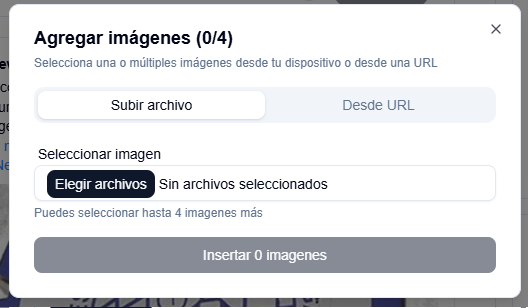
Image Features
- Upload up to 4 images per post
- Edit and crop images before posting
- Add alt text for better accessibility
- Supports common formats: JPG, PNG, GIF
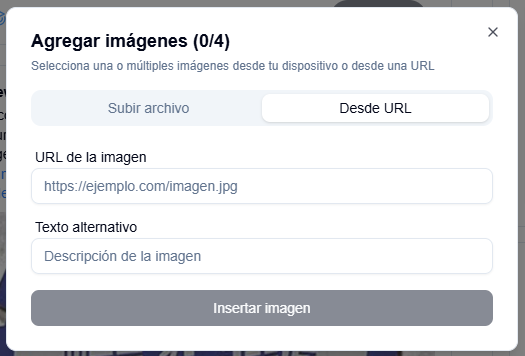
Adding Images from URL
You can also add images directly from a URL. Simply click the image button and paste the URL of the image you want to include.
Creating Polls
Engage your audience by creating polls to gather opinions and insights from the community.
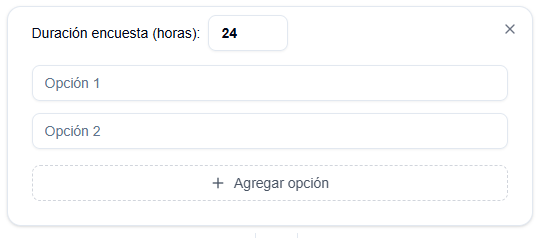
Poll Features
- Add 2-4 options for your poll
- Set duration from 1 hour to 7 days
- Polls are exclusive to posts - you cannot add polls if your post includes images or price predictions
- View real-time results as votes come in
Price Predictions
One of Fidenly's unique features is the ability to make price predictions for stocks and cryptocurrencies. This feature helps you track your prediction accuracy and build your UserScore.
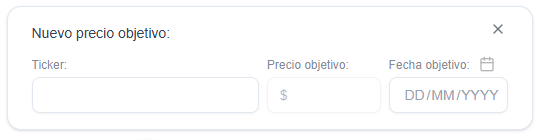
Prediction Features
- Select a ticker from available markets
- Set target price - What price do you think the asset will reach?
- Choose target date - When do you expect it to reach that price?
- Build your UserScore - Accurate predictions improve your reputation in the community
Note: Price predictions are exclusive to posts without polls or multiple images.
Messages
Communicate privately with other users through Fidenly's messaging system. Start conversations, share insights, and build your network.
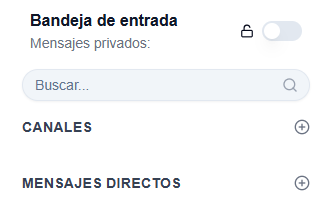
Creating a New Message
- Click on the messages icon to access your conversations
- Start a new message by selecting a user or searching for their username
- Send direct messages to share private insights or collaborate
- Messages are private and only visible to you and the recipient
DM Privacy Settings
Use the DM toggle button in your settings to control who can send you private messages. You can choose to receive messages from:
- All users - Anyone on Fidenly can message you
- Only followed users - Only users you follow can send you messages
Exploring Markets
Discover and analyze financial assets using Fidenly's market features.
Searching for Assets
Use the search functionality to find stocks, cryptocurrencies, and other financial instruments.
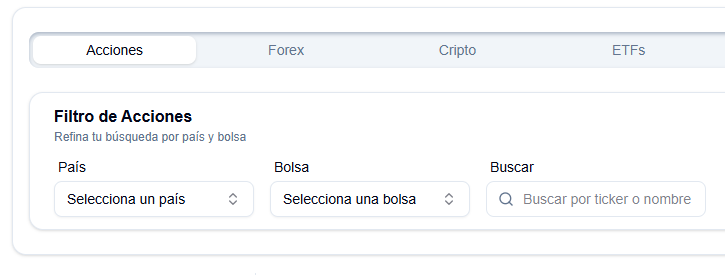
When you search for an asset, results are displayed with key information to help you quickly identify the right asset:
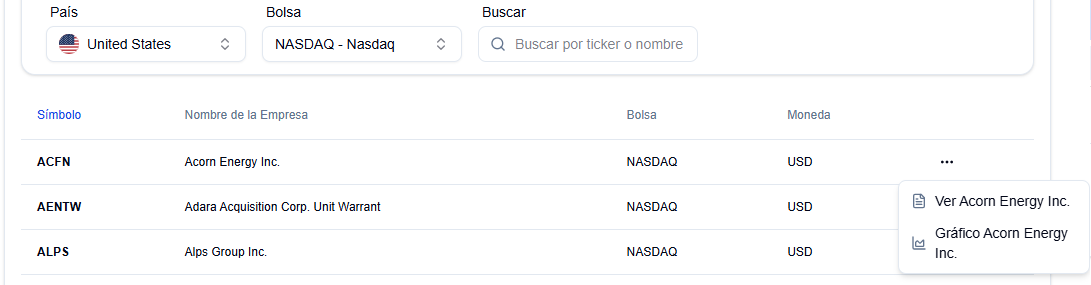
Each asset displays:
- Symbol - The ticker symbol
- Company Name - Full name of the company
- Exchange and Currency - Where the asset is traded and its currency
- Ellipsis button (...) - Access quick actions:
- View "[Company Name]" - Opens the asset profile with detailed information
- Chart "[Company Name]" - Opens the interactive chart for technical analysis
Asset Profile
View comprehensive information about any asset, including real-time data and detailed financial information.
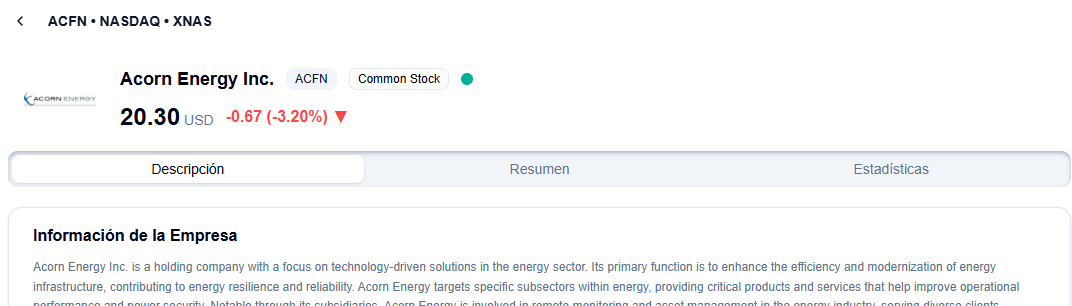
Asset profiles include three main tabs:
- Description Tab - General description of the asset with price charts (30 days, 7 days, and 1 day views)
- Summary Tab - Financial summary with key metrics and ratios
- Statistics Tab - Detailed metrics including:
- Valuation metrics
- Financial performance indicators
- Dividend information
- Stock splits history
Tips for Success
Use Hashtags and Cashtags Include relevant hashtags (#investing, #stocks) and cashtags ($AAPL, $TSLA) to make your posts more discoverable.
Engage with the Community Comment on other users' posts, share insights, and build connections. The Fidenly community thrives on collaboration.
Track Your Performance Monitor your prediction accuracy and UserScore to see how your insights perform over time.
Ready to start? Head to the home feed and create your first post! If you have questions, check out our other documentation pages or contact support.